

Albion Online cheats — Buy HWID Spoofer
A separate utility product for rotating hardware identifiers when a ban or flag affects your PC—review scope on the partner page before buying.
At a glance
HWID Spoofer capabilities
What this package focuses on for Albion Online before you open the full module list.
Plus 9 additional modules in the operator portal—see the full list below.
Overview
Built around a clear hardware recovery workflow
How this Albion Online build fits competitive, matchmaking, and casual matches after major patches.
This HWID spoofer is a separate utility when anti-cheat flags PC hardware. Disk and MAC profile tools ship with a restore-point checklist, compatibility scan, and post-spoof verification steps.
Use this path when fresh accounts fail instantly on one machine but work elsewhere—not for account-only restrictions. Confirm current scope on the partner page before checkout.
When you need it
Use when fresh Steam accounts fail instantly on one PC but work elsewhere—classic hardware ban enforcement after an game ban action. Do not use for account-only bans; see [Cloud DMA](/products/cloud-dma/) instead.
Full workflow
Restore point, driver cleanup, spoof application, cold reboot, identifier verification, then conservative cheat profile before joining a match. Full checklist ships in the portal and in our HWID blog guide.
Modules
What's included in HWID Spoofer for Albion Online
Every Albion Online module and overlay listed with HWID Spoofer—toggle and tune in the operator portal.
- Disk serial profile tools
- MAC address rotation
- Restore point checklist
- Compatibility scan
- Driver conflict detection
- Post-spoof verification
- Identifier diff report
- Cold reboot guide
- Portal step-by-step workflow
- Discord recovery support
Experience
In the client · After you buy
Use the screenshots above for HWID Spoofer—below is what each layer means and how access works after checkout.
In-game layers
- Layer A
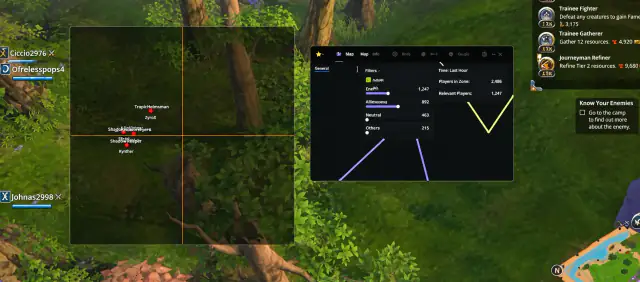
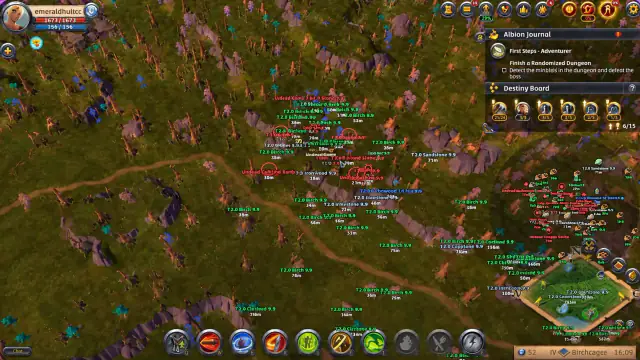
World visuals
Resource and camp markers across the map.
- Layer B
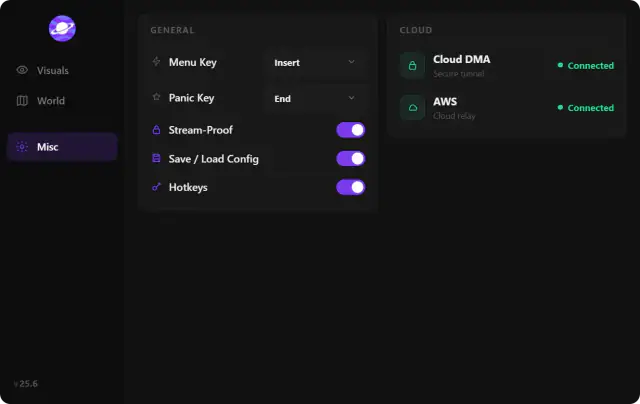
Cloud DMA panel
Utility listing shown beside the main product menu.
- Layer C
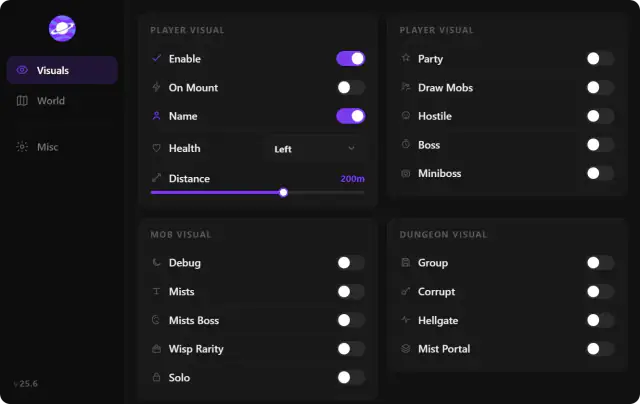
Player names
Name overlays on other players in the open world.
Guides
Albion Online buy guides for HWID Spoofer
Curated Albion Online articles for setup, tuning, and patch-day checks that match this product.
When HWID Spoofer is listed as a separate utility after a hardware flag.
A launch error is not always a ban. When to read Cloud DMA or HWID notes instead.
Patch-day checklist: check live status after an Albion Online update before using third-party overlays, then reload portal configs.
Third-party overlays can violate Albion Online terms. No undetectable or ban-proof claims.
Plain-language overview of Albion Online cheats on albioncheat.com—listed visual options, utilities, and partner checkout.
How player visuals work on this listing: enable, on mount, name, health, distance, and party toggles for nearby characters.
FAQ
Questions about this page
Answers tied to what you are reading—visit the FAQ page for every topic.